Design in consumption order
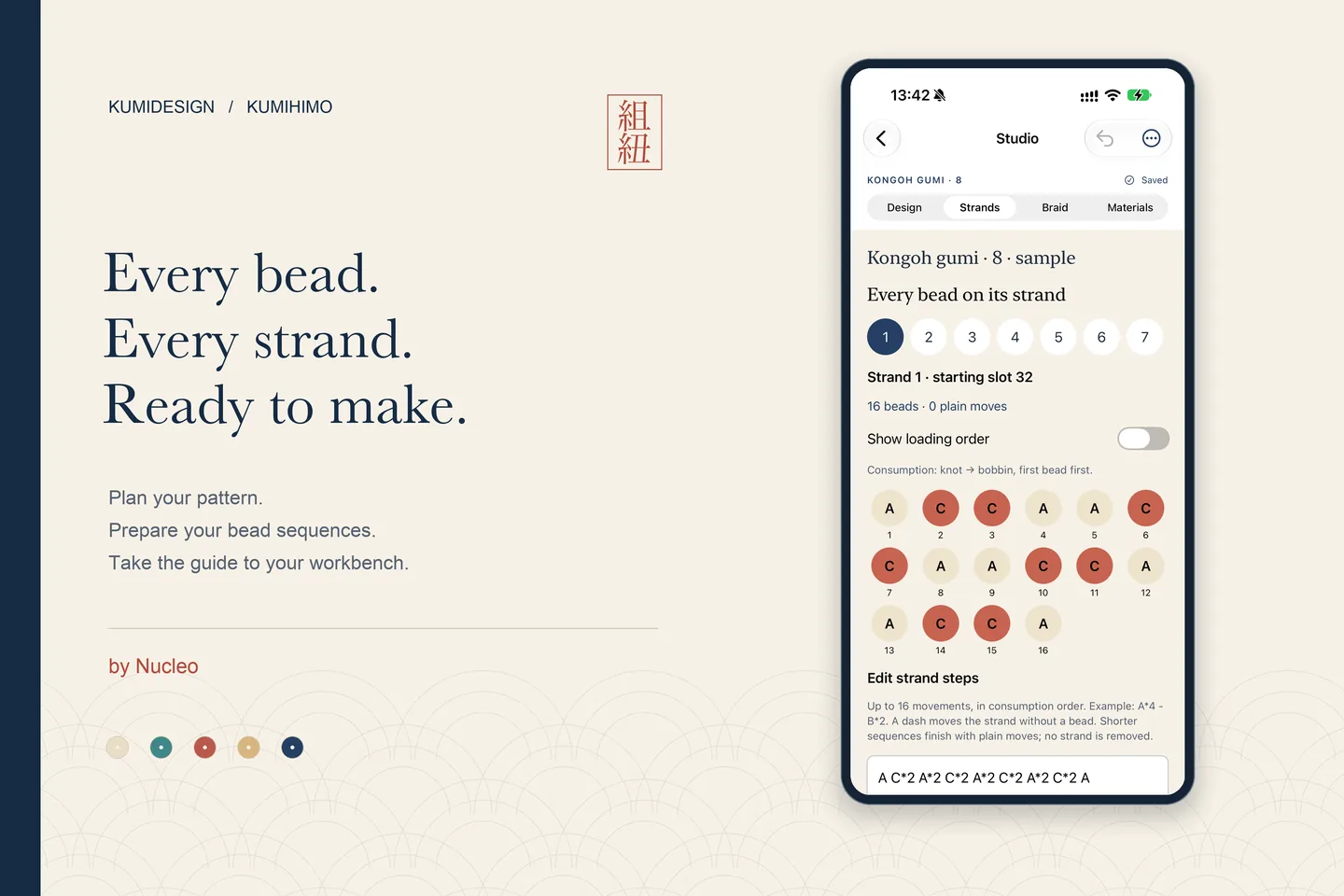
Paint the chart or edit each strand’s sequence. Repeat motifs, mirror rows, replace colours and undo changes while keeping the chart and strand lists connected.
KumiDesign
An offline studio for beaded kumihimo. Connect a consumption-order chart, each strand’s bead sequence, material counts and step-by-step disk movements.
Awaiting Apple review · Kumihimo · by Nucleo
A closer look.
Select an image to view it larger. Swipe to explore.
Keep original patterns together in your local workshop.
Paint and revise the consumption chart for each strand.
Switch between bead consumption and reversed loading order.
Review bead quantities by colour and strand, including your reserve.
Follow the strand, slots and turn, and keep your place.
Preview and share an offline PDF with materials, lists and movements.
Final English App Store artwork with real native development screens and original demonstration patterns. The app and Full Studio unlock are awaiting Apple review.
Why we’re building it
For beadworkers and kumihimo makers who design their own patterns.
A colour idea still has to become a bead sequence for every strand. Consumption order and loading order run in opposite directions, and material counts and disk movements need to agree with the design. Keeping those lists separate makes revisions harder to track.
We’re building KumiDesign to keep that preparation in one offline workshop: a consumption chart connected to strand sequences, exact bead counts and the corresponding movement guide. The aim is to help makers prepare and follow their own designs while being clear about what the chart represents.
For an eight-strand piece, repeat a navy and vermilion motif, check each strand’s reversed loading list and export the materials and movement guide as a PDF. The chart records the intended sequence; it does not certify the braid’s final physical appearance.
Keep the design and the preparation together. Work from your colour idea to strand-by-strand loading lists, then take a movement guide and a PDF to your craft table.
Paint the chart or edit each strand’s sequence. Repeat motifs, mirror rows, replace colours and undo changes while keeping the chart and strand lists connected.
Separate consumption order from reversed bead-loading order. Use unequal bead loads and intentional plain movements without removing a strand from the disk.
See exact bead counts by colour and strand, add a reserve and export materials as CSV. Optional bead measurements document your materials; length estimates use a real sample you provide.
Use technique-specific setups and numbered movements for 7-strand fill-the-gap, 8-strand Kongoh, 12-strand asymmetric spiral and 16-strand Kongoh. Resume saved progress.
Preview and share a paginated PDF offline in English or Spanish with setup, materials, consumption and loading lists, chart and the full movement guide.
Save projects locally, duplicate them, recover deleted designs and import validated editable files or library backups. There is no account or app-operated sync service.
The chart is a chronological consumption map and the disk shows movements. It is not an exact physical preview of the finished braid and does not simulate how mixed bead sizes pack together. Physical braid validation has not been performed; no such validation is claimed.
Awaiting Apple review
KumiDesign 1.0.0 (2) for iPhone and iPad, with English and Spanish interfaces, has been submitted to Apple and is waiting for review. It has not been approved or publicly released, and there is no public download link.
The app and Full Studio, its one-time non-consumable Apple unlock, were submitted together and are Waiting for Review in App Store Connect. Neither is approved or publicly released. Real payments are disabled in development builds. Distribution code prepares verified access to PDF, CSV and editable exports; library backups remain available without payment. No subscription or purchase is offered on this website.
Ask us by emailInformation reviewed October 19, 2026There is no public App Store or TestFlight link yet. Version 1.0.0 (2) is waiting for Apple review. Contact hello@nucleo.build for project questions.
7-strand fill-the-gap, 8-strand Kongoh, 12-strand asymmetric spiral and 16-strand Kongoh. Each uses its own setup and disk movements.
No. The chart represents consumption order, not the final physical surface. The app does not simulate mixed bead-size packing and its patterns have not been physically validated in this project.
Yes. Each strand keeps the same number of disk movements, but can have fewer beads and explicit plain movements. The reversed loading list omits plain movements; the braiding guide keeps them.
Export editable .kumidesign files or a .kumibackup library copy before deleting the app or changing devices. Imported backups are validated and create new project IDs rather than overwriting existing designs. PDF and CSV are useful outputs, not full editable backups.
No account or subscription is required for the documented offline app. The one-time Full Studio unlock was submitted with the app and is waiting for Apple review; it is not a public offer yet.
Help and information for KumiDesign.